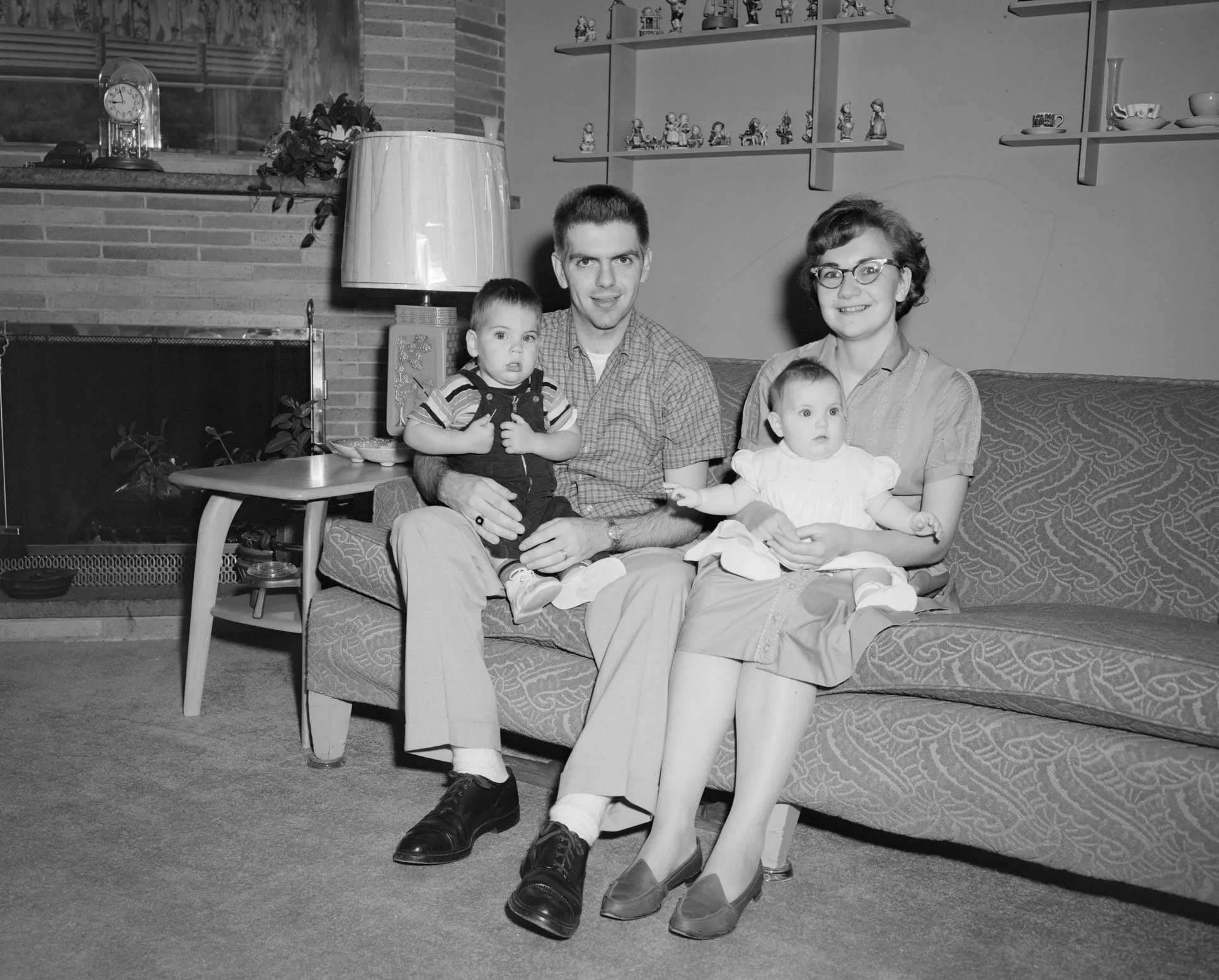
Unprocessed Image

Enhanced




Upload a scan of an old photo of the couple and Topaz for Web restores it in seconds. Our award-winning restoration technology removes scratches, dust and creases, sharpens both faces and revives faded color, then saves a new copy ready for a party display, a card or a framed gift.

Sign up and use it now. No watermark.
Input
Faded print
Output
Restored
Tool
Photo Restoration
Typical time
A few seconds
How it works
01
Scan the print, then upload it. Topaz for Web opens with Photo Restoration selected.
02
Select your desired restoration settings and check the preview.
03
Download the restored photo for an anniversary party display, a slideshow, a card or a framed gift.
What’s different
Anniversary displays often pair an old photo with a new one. Restoration brings the older print closer in clarity so the pair sits well together.
Couple photos need both faces sharp. Restoration recovers detail in each face, even when the print is small or soft.
A 25th, 40th or 50th anniversary can mean photos from many eras. Restoration works on black-and-white, sepia and faded color prints alike.
Restored photos are often printed large or framed as gifts. Restoration removes the dust and scratches that would show in a bigger print.
Recommended settings
Topaz for Web opens with Photo Restoration selected when you start from this page. Adjust any setting before you export.
Step | Recommendation | Why |
|---|---|---|
Scan | 600 DPI, 1200 for small prints | Enough detail for framed prints and party displays. |
Tool | Photo Restoration | Repairs creases, scratches, dust and fading in one pass. |
Color | Keep the original | Colorize as a separate step if you want color. |
Review | Check the preview at full size | Confirm both faces look natural before printing large. |
Pro users can also restore photos in the Topaz Photo desktop app.
Trusted by over 1 million photographers and filmmakers
“Blurry planes came to life perfectly sharp. Very easy to use.”
“This helped me save family photos that had soft focus.”
“It doubles the value of your photographic equipment.”
Verified Topaz Labs reviews on Trustpilot.
Scan the print at 600 DPI, or 1200 DPI for small prints, upload it to Topaz for Web and let Photo Restoration repair it. Check the preview and download the restored copy in seconds.
Yes. Restoration works on wedding prints too. See restoring old wedding photos for tips specific to wedding albums.
Restoration repairs damage and improves clarity, which helps old and new photos sit together. It keeps the look of the era, so the older photo will still read as vintage.
Yes. Restore it first, then add color with Colorize Photos. Colors are estimated by our colorization algorithms, so clothing and backgrounds may not match the original exactly.
Restoration takes a few seconds per photo, so you can prepare several for a display or slideshow in one sitting.

Topaz for Web is included with Topaz Studio, alongside Photo, Gigapixel, Video, Bloom and Topaz for Mobile.
Updated 2026-10-28


© 2005 - 2026 Topaz Labs. All rights reserved.