The Topaz DeNoise 5 image noise reduction plug-in uses IntelliNoise™ technology to optimally remove noise and recover image detail.
Topaz DeNoise puts unrivaled noise reduction quality at your fingertips. Whether you're shooting in low light, fast speeds, or other noisy conditions, DeNoise gives you the peace of mind to know that you'll end up with a clean, clear, and noise-free result.
Other noise reduction methods utilize a range of subtle blurring techniques that often removes detail as well as noise. Topaz DeNoise 5 is the only software of its kind that is able to recover crisp detail while simultaneously removing up to four stops of noise with the utmost quality.
Every digital camera creates imperfections in images called "noise", which appears as unwanted dots, lines and smudges of color. An excessive amount of noise ruins an image by taking attention away from the photo's qualities. On the other hand, too much noise reduction destroys precious photo detail and sharpness, which also compromises your art. The trick is to only remove noise and not detail - something that is exceedingly hard to do.
Topaz DeNoise 5 is powered by a leap forward in noise reduction technology - IntelliNoise™ - which was developed in-house by Topaz Labs after years of research into image processing. The goal of the project was to discover a noise reduction solution that was actually capable of recovering detail as well as removing noise. The effort was spearheaded by a Ph.D in Computer Vision with twenty years of experience in the field, and the culmination of that effort means that the IntelliNoise™ technology exclusively powers Topaz DeNoise 5.
Unprecedented quality in noise reduction has finally arrived. Reduce more noise and preserve more detail than any solution you've ever used.
The big benefit of IntelliNoise technology is that it allows higher levels of noise reduction than existing methods while still keeping the photo looking natural. The idea is to make your ISO1600 photos look exactly like you shot it in ISO100 on a tripod. Compare the DeNoised ISO1600 and ISO100 below, and roll over for the original ISO1600 photo.

The DeNoised ISO1600 photo has the exact same amount of noise as the ISO100 photo, yet looks natural and unprocessed. Note the preserved detail and sharp lines with none of the telltale signs of blurriness or blotchiness. It's as if you shot the photo at 100 ISO to begin with, just without any of its disadvantages like a longer shutter speed or smaller depth of field! This is not currently possible with any other technology.
The advantage of having an image noise reduction solution that can truly recover 4 stops of noise means you can shoot faster, clearer, and in darker conditions than ever before. If you're into buying fast lens, getting DeNoise 5 is like getting free money. More on benefits...
DeNoise 5 is a complete noise reduction solution that integrates perfectly most existing photographic workflows. In addition to the latest versions of 32- and 64-bit Photoshop, it integrates into Aperture, Lightroom, iPhoto, and a host of other editors. More on workflow...
Try a 30-day free trial of Topaz DeNoise today, or buy now for $79.99!
Topaz DeNoise's technology enables you to be more creative with your photography by giving you the ability to shoot faster, shoot darker, and shoot clearer than ever before. Roll over each photo below for a Before and After comparison.
When you know you have a powerful and trustworthy noise reduction solution that can make ISO1600 look like ISO100, you're free to raise your ISO in the field without worrying about image quality. This means you can increase shutter speed to freeze the action and minimize motion blur or camera shake.
By using DeNoise 5 on your high-speed images, you'll end up with a fast yet very clean photo. This is ideal for:
4 solid stops of noise reduction effectively means that you can shoot 4 stops darker at the same quality level. This is invaluable when taking photos indoors or at night. Higher ISO settings become no problem with Topaz DeNoise to take care of it.
Photographer Scott Stulberg shot the above photo with a Canon 5D MK2 at ISO3200 with a 20-second exposure. Initially the noise levels are unacceptable, but with after applying DeNoise 5 the photo becomes very usable. Notice the highly preserved details and lack of noise - DeNoise didn't blur or compromise any details at all. These low-light noise reduction capabilities are very useful for:
IntelliNoise noise reduction means that you don't have to open your aperture all the way in order to get clean low-light shots. Instead, keep all parts of your image in focus with superior depth of field by using a smaller aperture but higher ISO setting. The increased noise levels are handled by DeNoise and you're left with a crisp and clear image with a wide depth of field.
The above photo was taken indoors with a small aperture in order to keep all the image features in focus. However, this required the ISO to be set at 25600, which caused extremely high noise levels (roll mouse over image to see original). A careful application of Topaz DeNoise eliminated the noise while still preserving a lot of image detail and made the image very usable. Such increased depth of field is invaluable for:
No matter what type of photography you do, great noise reduction is invaluable for your workflow. DeNoise 5 with IntelliNoise™ is as good as it gets, so try a 30-day free trial of Topaz DeNoise, or buy now for $79.99!
For additional DeNoise resources, visit our DeNoise tutorials page.
The best technology is useless without a solid workflow backing it up. Topaz DeNoise integrates flawlessly into many types of workflows using many different editors. Noise reduction should almost always be the very first step in your workflow before any other adjustments in order for it to be most effective. DeNoise 5 makes using the optimal noise reduction workflow quick and painless.
The basic DeNoise 5 noise reduction workflow goes as follows:
That's it! As an optional third step, you may also adjust the settings or fine-tune the presets using the sliders, but this isn't necessary for many situations. The main strength of DeNoise 5 is in its IntelliNoise™ technology, so every part of its interface is only meant to make that technology easier to access.
The first step in noise reduction is to import your photo into Topaz DeNoise from your workflow. DeNoise is fully integrated with the most commonly used software, so often you won't have to make an extra trip to an external editor or even change your workflow at all to use it. Supported workflows include:


Photoshop, Aperture, Lightroom, iPhoto, and all other editor support is included in the base price of the software. Feel free to use a single license for any combination of these hosts on one or two computers.
Noise reduction presets are pre-built collections of settings in Topaz DeNoise 5 that can act as a great starting point for any photo. Often, using a single preset will be all you need to optimally reduce image noise in any given photo. There are two kinds of presets in DeNoise 5 for two different purposes:
Adaptive presets use noise estimation techniques to try to figure out the best settings for your image. These are convenient and often do great, but they sometimes may require fine-tuning afterwards for best results. Adaptive presets are not well-suited to batch capturing and will not give the absolute best results. However, these types of presets are great to use when first starting out with the software, and often do a very decent job at reducing noise and preserving detail.
Adaptive presets shipped with the software include:
*Note: Adaptive presets are optimized for very strong noise levels. For photos below ISO1600, try the "light" preset first and adjust as necessary.
Camera presets are noise reduction settings fine-tuned for a particular camera at a particular ISO setting - for example, a Canon 5D MKII at 3200 ISO. These are extremely accurate, work well for batch processing, and give great results because these presets are created for a specific camera/ISO combination.
Photographers usually create their own camera-specific presets for their own camera and commonly used ISO settings. For example:
The big advantage to having Topaz DeNoise 5 camera presets is you get the best results in a single click, every single time. No more fiddling with sliders or trying out different combinations of settings - simply selecting a single camera preset in DeNoise 5 ensures that you'll have the best possible results for that combination.
In many cases, using even an adaptive preset will give you a great result for your photo. However, if you'd like to fine-tune it further or start from scratch to create your own camera preset, use the powerful DeNoise 5 manual sliders for full control over your noise reduction. Keep in mind that this isn't required for a majority of photos - for most photos, just using an appropriate preset will do the trick nicely.
The Noise Reduction settings tab gives you control over exactly where and how to apply IntelliNoise to best effect.
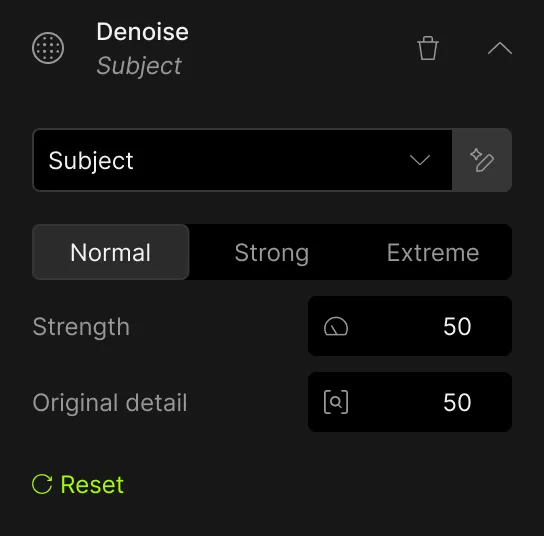
Overall Strength controls the general amount of noise reduction to be applied to the image, and is the primary setting used first.
After Overall Strength, Adjust Red and Adjust Blue are used to remove extra noise from the red or blue channels.
Adjust Shadow and Adjust Highlight specify the relative amount of noise reduction in the highlights and shadows. Usually you want to increase shadow noise reduction and decrease relative highlight reduction.
The Correct Black Level parameter helps to restore the true richness and color to shadow tones.
The Detail Recovery tab specializes in the amount and nature of detail to recover.
Recover Detail uses a unique algorithm to bring back original small image detail into the photo.
Reduce Blur uses a "deconvolution" method to reduce slight blurring or camera shake. Unlike simple sharpening methods, it can actually recover focus to a degree.
The Debanding tab allows you to remove horizontal and/or vertical banding from your image. If your image has banding noise, select the Horizontal and/or Vertical checkbox to target the banding noise direction.
The Banding Width slider determines how much debanding strength is applied to the selected direction. The default setting of 20 usually does the trick.
DeNoise 5's Preview Modes allows you to pinpoint the exact nature of the noise in your photo.
The unique Auto-Brightening feature gives you the ability to automatically evaluate darker areas of the photo.
For most cases, simply selecting a DeNoise 5 noise preset will quickly and efficiently remove noise and recover detail from a photo. When necessary, though, DeNoise 5's manual settings offer a comprehensive way to perfectly remove noise from any photo.
Click on each image for a larger version of the before/after.
One of the new DeNoise 5 features is a debanding tab on the user interface, used to remove banding noise from images. This new debanding technology tackles dual-directional banding noise, eliminating the long lines that extend across images to restore image color, detail and integrity. Learn more about banding noise...

When removing noise from dark or shadow areas of an image, a hazy color cast can appear, usually red or blue. The Correct Black Level parameter returns the true richness and color to those darker tones.

Try a 30-day free trial of Topaz DeNoise today, or buy now for $79.99!
Hover over each example for a quick look at the After photo, or click it for a larger version of the before/after.
We'd love to see your photos here! To submit a photo for inclusion on our website, send the Before and After shot to submit[at]topazlabs.com.
Try a 30-day free trial of Topaz DeNoise today, or buy now for $79.99!
"Thought I would pass on to you my recent experience with DeNoise.... I recently had an image rejected by iStockphoto because of artifacts. When the image was rejected I was given the opportunity to resubmit it. Knowing that my usual technique wasn't going work, I downloaded a 30 day trial of DeNoise. After using DeNoise I resubmitted the file and it was accepted! Needless to say, I will be buying your product. Thank you."
- Robert Kirk
"I have spent a lot of money over the years on image processing software. Many of these products have proved useful but yours produces visibly superior results in every case when I compare.... In an especially demanding test today using a very noisy high ISO digital image, DeNoise actually recovered image detail rather than degrading it while removing the noise.... Yours is the first imaging software it is possible to be enthusiastic about. Best wishes."
- G. Klatt
"There are two things I love about your product. First, it is a "no-brainer." Pick the sample on the left that looks best and you're good to go. I have a hard time knowing what settings to set and what sliders to slide. Second, and I don't know how you do it, but when you apply Topaz DeNoise, the noise is gone but the detail is not. Ya done good!"
- Dean Fleischman
"Of all the Topaz products I have, the one I could never live without is Topaz DeNoise. The results with that program are nothing short of astounding. How it is able to distinguish between background noise and detail is beyond me. My pictures never looked so good."
- Tom Best


Try a 30-day free trial of Topaz DeNoise today, or buy now for $79.99!
Join our mailing list for Topaz news, exclusive discounts, and software tips.
(We will never share or spam your email.)