{ "@context": "https://schema.org", "@graph": [ { "@type": "Organization", "@id": "https://www.topazlabs.com/#organization", "name": "Topaz Labs", "url": "https://www.topazlabs.com", "logo": { "@type": "ImageObject", "url": "https://cdn.prod.website-files.com/6005fac27a49a9cd477afb63/6601fc8dee8587f460410ed3_topaz-logo-wicon.svg" }, "sameAs": [ "https://www.instagram.com/topazlabs", "https://www.youtube.com/topazlabs", "https://x.com/topazlabs", "https://www.linkedin.com/company/topaz-labs/", "https://www.facebook.com/topazlabs/" ] }, { "@type": "BreadcrumbList", "itemListElement": [ { "@type": "ListItem", "position": 1, "name": "Home", "item": "https://www.topazlabs.com" }, { "@type": "ListItem", "position": 2, "name": "Tools", "item": "https://www.topazlabs.com/express" }, { "@type": "ListItem", "position": 3, "name": "CapCut Video Enhancer", "item": "https://www.topazlabs.com/tools/capcut-video-enhancer" } ] }, { "@type": "WebPage", "@id": "https://www.topazlabs.com/tools/capcut-video-enhancer#webpage", "name": "CapCut Video Enhancer", "description": "Upscale and enhance your CapCut videos to true 4K quality with Topaz Labs AI video upscaler models trusted by Netflix, Nvidia, Higgsfield AI, and more.", "url": "https://www.topazlabs.com/tools/capcut-video-enhancer", "inLanguage": "en", "publisher": { "@id": "https://www.topazlabs.com/#organization" } }, { "@type": "SoftwareApplication", "@id": "https://www.topazlabs.com/tools/capcut-video-enhancer#software", "name": "Topaz Labs CapCut Video Enhancer", "alternateName": "CapCut Video Upscaler", "description": "AI-powered video enhancement tool that upscales CapCut videos to 4K quality with customizable creative and precise upscaling models, frame interpolation, and cloud-based rendering.", "applicationCategory": "MultimediaApplication", "applicationSubCategory": "Video Enhancement", "operatingSystem": "Web Browser", "url": "https://www.topazlabs.com/tools/capcut-video-enhancer", "featureList": [ "Upscale CapCut videos to 4K resolution", "Creative upscaling with adjustable strength", "Precise upscaling for faithful resolution boosts", "Frame interpolation up to 60fps", "Preview clip before full processing", "Cloud-based rendering, no download required" ], "offers": { "@type": "Offer", "availability": "https://schema.org/InStock", "url": "https://astra.app/create" }, "aggregateRating": { "@type": "AggregateRating", "ratingValue": "5", "bestRating": "5", "worstRating": "1", "reviewCount": "5" }, "review": [ { "@type": "Review", "author": { "@type": "Person", "name": "Carolyn" }, "reviewBody": "The results were genuinely impressive and well beyond what I expected. Easy to use, powerful results, and definitely one I'd recommend.", "reviewRating": { "@type": "Rating", "ratingValue": "5", "bestRating": "5" } }, { "@type": "Review", "author": { "@type": "Person", "name": "Lee" }, "reviewBody": "Their products do exactly what they say on the tin. Every time. No exceptions. I wish I could afford the video software as well... maybe next month. I have some old videos I recorded 15-20 years ago that need upscaling to HD or 4K. Topaz is the only software company I would trust to handle the job, and that is based purely on how well they have done with my still photos.", "reviewRating": { "@type": "Rating", "ratingValue": "5", "bestRating": "5" } }, { "@type": "Review", "author": { "@type": "Person", "name": "Salar Golestanian" }, "reviewBody": "I could not have lived without Topaz. I have a project that requires a lot of AI-generated videos, and the majority produce 1280 wide, which is just not good enough for 4K quality output. Topaz allows me to use the low-quality generation, upgrade them, and then edit in Premier Pro.", "reviewRating": { "@type": "Rating", "ratingValue": "5", "bestRating": "5" } }, { "@type": "Review", "author": { "@type": "Person", "name": "Hans" }, "reviewBody": "I've remastered two of my older films from SD to 4K using Topaz AI Video, and both are now screening again as part of special programs at various international festivals. I'm so pleased with the results and happy for the new life these films are having thanks to Topaz Labs.", "reviewRating": { "@type": "Rating", "ratingValue": "5", "bestRating": "5" } }, { "@type": "Review", "author": { "@type": "Person", "name": "Adam" }, "reviewBody": "I can't actually believe the results I achieved going from HD to 4K on Topaz as a first time user. After some testing (and buying a new M3 Mac) it was a pleasant experience in a very well thought out GUI. Many thanks Adam", "reviewRating": { "@type": "Rating", "ratingValue": "5", "bestRating": "5" } } ], "publisher": { "@id": "https://www.topazlabs.com/#organization" } }, { "@type": "HowTo", "name": "How to Enhance CapCut Videos with Topaz Labs", "description": "Step-by-step guide to upscaling and enhancing CapCut videos to 4K quality using Topaz Labs.", "estimatedCost": { "@type": "MonetaryAmount", "currency": "USD", "value": "0" }, "step": [ { "@type": "HowToStep", "position": "1", "name": "Upload", "text": "Create your video using CapCut, then upload it here.", "url": "https://astra.app/create" }, { "@type": "HowToStep", "position": "2", "name": "Adjust", "text": "Choose your resolution and output options. Select 4K output resolution and a variety of different models." }, { "@type": "HowToStep", "position": "3", "name": "Preview and Process", "text": "Select a clip of your video to preview your chosen settings." }, { "@type": "HowToStep", "position": "4", "name": "Download", "text": "Click the white download button in the bottom right corner to save your video after processing is complete.", "image": { "@type": "ImageObject", "url": "https://cdn.prod.website-files.com/6005fac27a49a9cd477afb63/69938e4b6d3eb7bf511f7c41_Screenshot%202026-02-16%20153755.webp" } } ] }, { "@type": "FAQPage", "mainEntity": [ { "@type": "Question", "name": "Does enhancing CapCut videos with Topaz Labs require downloading software?", "acceptedAnswer": { "@type": "Answer", "text": "No. Topaz Labs' CapCut video enhancer runs entirely in your web browser. All processing is handled by cloud-based infrastructure, so there is no software to download or install, and no specialized hardware required on your end." } }, { "@type": "Question", "name": "What resolution can I upscale my CapCut videos to?", "acceptedAnswer": { "@type": "Answer", "text": "You can upscale your CapCut videos up to true 4K quality. Topaz Labs uses AI-driven video upscaling to enhance fine details, minimize compression artifacts, and ensure smooth motion, taking footage from 720p or 1080p to 4K without sacrificing visual fidelity." } }, { "@type": "Question", "name": "What upscaling modes are available for CapCut videos?", "acceptedAnswer": { "@type": "Answer", "text": "Topaz Labs offers two upscaling modes for your CapCut videos. Creative upscaling uses adjustable creativity settings to reimagine and add new detail to your footage, ideal for AI-generated or stylized content. Precise upscaling keeps the original look of your video intact while boosting resolution to 4K, suited for footage that simply needs a resolution upgrade." } }, { "@type": "Question", "name": "Can I preview my CapCut video before processing the full file?", "acceptedAnswer": { "@type": "Answer", "text": "Yes. Before committing to a full render, you can select a short clip of your uploaded video to preview how your chosen settings will affect the output. This lets you fine-tune your resolution and model selection before processing the complete file." } }, { "@type": "Question", "name": "Does Topaz Labs support frame interpolation for CapCut videos?", "acceptedAnswer": { "@type": "Answer", "text": "Yes. Topaz Labs can generate additional frames for your CapCut video to smooth motion and increase frame rates up to 60fps, making fast-moving or slow-motion footage look significantly more fluid and professional." } } ] } ] }


CapCut is a robust video editing platform, but its native resolution and built-in upscaling capabilities may not meet the demands of professional projects.
Topaz Labs employs AI-driven video upscaling to elevate your CapCut videos to true 4K quality, enhancing fine details, minimizing compression artifacts, and ensuring smooth motion. This process results in video footage that is refined and ready for final editing.
"The results were genuinely impressive and well beyond what I expected. Easy to use, powerful results, and definitely one I’d recommend."
Topaz Labs has dedicated over two decades to the development and refinement of sophisticated AI models for content upscaling. Experience the enhancement of your videos and discover why Topaz Labs is at the forefront of video upscaling technology.
Learn more about integrating Topaz Labs with your CapCut projects.
Enhance any CapCut video output to 4K quality without sacrificing visual fidelity
Select from multiple video upscaling models - add varying levels of creativity, or choose to stay faithful to your original.
There is no requirement for specialized hardware as our cloud infrastructure efficiently manages all processing tasks.
Our cutting-edge upscaling technology is used by leading professionals around the world.
Choose your resolution and output options. Select 4k output resolution and a variety of different models.
Select a clip of your video to preview your chosen settings.
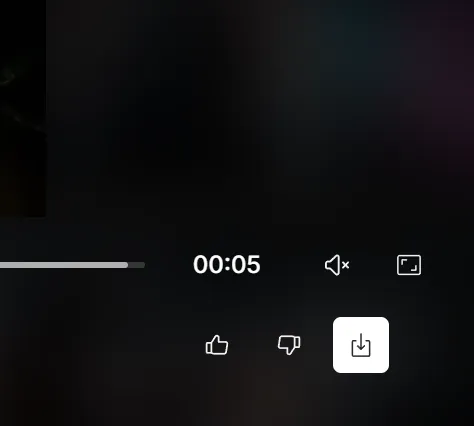
Click the white download button in the bottom right corner to save your video after processing is complete.
Use Topaz Labs to enhance your CapCut video outputs by increasing the resolution from 720p or 1080p to stunning 4K quality.
Adjustable creativity settings allow you to reimagine and enhance details within your CapCut videos, making it perfect for refining your original work. Essential for creative workflows!
You're able to preview what your video will look like by processing just a small part of your uploaded video with your desired settings.
For videos that require only a resolution boost, precise upscaling maintains the original content and detail while enhancing the resolution to 4K.
Topaz Labs generates additional frames for your video, smoothing motion and enhancing frame rates up to 60 fps.

"Their products do exactly what they say on the tin. Every time. No exceptions. I wish I could afford the video software as well... maybe next month. I have some old videos I recorded 15-20 years ago that need upscaling to HD or 4K. Topaz is the only software company I would trust to handle the job, and that is based purely on how well they have done with my still photos."
"I could not have lived without Topaz. I have a project that requires a lot of AI-generated videos, and the majority produce 1280 wide, which is just not good enough for 4K quality output. Topaz allows me to use the low-quality generation, upgrade them, and then edit in Premier Pro."
"I’ve remastered two of my older films from SD to 4K using Topaz AI Video, and both are now screening again as part of special programs at various international festivals. I’m so pleased with the results and happy for the new life these films are having thanks to Topaz Labs."
"I can’t actually believe the results I achieved going from HD to 4K on Topaz as a first time user. After some testing (and buying a new M3 Mac) it was a pleasant experience in a very well thought out GUI. Many thanks Adam"