New
Web Apps





Desktop Apps



Need product and account support?
Contact support team
New
Web Apps
Desktop Apps
Need product and account support?
Contact support team

Cutting-edge video upscaling models for every workflow, all in one simple online platform.
Upscaling video is an entirely different arena from upscaling still images. The hard part is holding detail steady and consistent while everything moves, so a tool either reconstructs real texture and keeps it stable in motion, or it shimmers and flickers the moment the clip plays. We ran a set of demanding clips through a few of the most-used online video upscalers and judged each on detail, motion, and flicker. Our conclusion was that the days of needing a powerful and expensive desktop machine for effective video upscaling and processing are over. Several online platforms including Topaz for Web runs professional-grade video enhancement models right in the browser.
The video upscaling platforms tested include Topaz for Web, SeedVR2 (ByteDance),, and TensorPix. Let's see how they stack up initially.
Quality was the primary test criterion, and we judged primarily on paused frames at 100% zoom for detail.
We chose two clips to stress different cases, both 720p sources upscaled to 4K using the respective platform.
The first is an AI-generated cinematic scene: a stylized character in a rainy, neon-lit alley, the kind of footage that tends to look soft and waxy and carries the pseudo-lettering and unstable texture typical of generative video. The second is live-action: a woman in an ornately embroidered floral dress on a hay bale under a bright cloudy sky, shot at a low angle with a good amount of camera and subject motion. It should be a good test of fine fabric texture, natural skin in daylight, a clean sky gradient where banding would show, and detail holding up in motion.
Between them they cover the two jobs that matter most, reconstructing believable detail on AI footage and staying faithful on real footage. Let's take a look at these two clips in their original, pre-upscaled form:
Now let's go over each platform's results and assess the quality and experience.
In our test, Topaz produced the strongest results by a clear margin. On the AI-generated cyberpunk clip, Creative mode rebuilt believable detail rather than just sharpening the soft source: hair resolved into individual strands, skin gained pore-level texture, rain read as distinct beads, and the neon signage and background architecture picked up crisp edges, giving the whole shot a more filmic look without turning plasticky. On the live-action clip, Precise mode with Starlight recovered detail faithfully: the embroidered brocade went from a muddy blur to visible woven thread, skin took on natural texture while staying natural rather than waxy, and the sky stayed clean with no banding or edge halos. The reason it competes at the top is that it runs Topaz's flagship video models, including Astra 2 and the Starlight series, in the cloud, so you get pro-grade upscaling without a powerful GPU or an install.
It works in the browser with drag and drop and renders in the cloud regardless of your machine. Topaz's video models are built to reconstruct detail while keeping it stable frame to frame, which is what keeps motion clean rather than shimmering. It outputs 1080p or 4K with Precise and Creative modes.
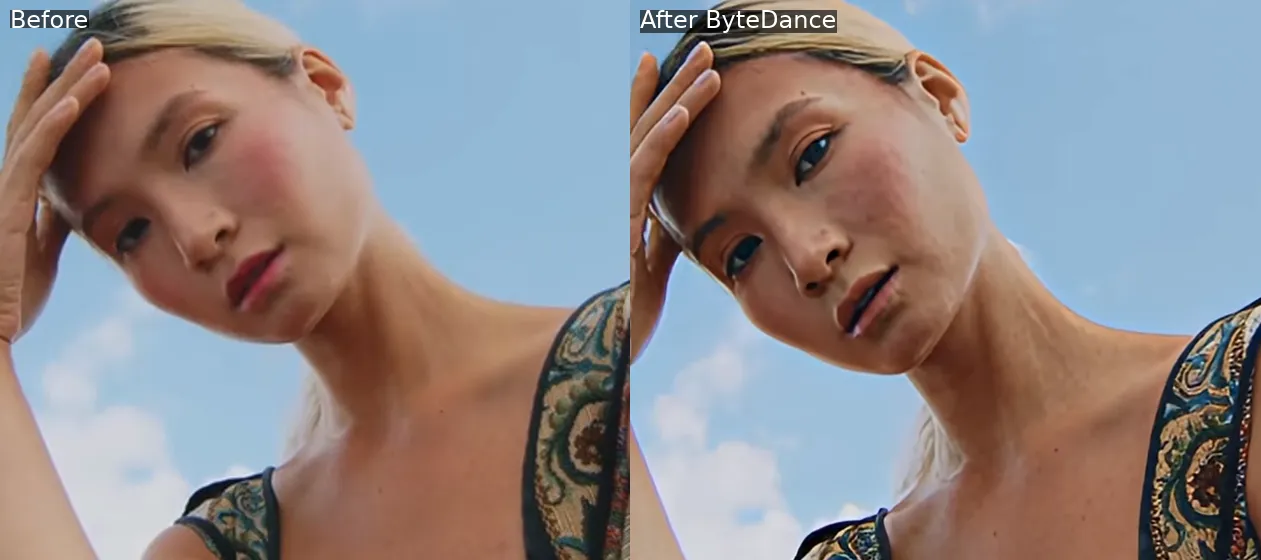
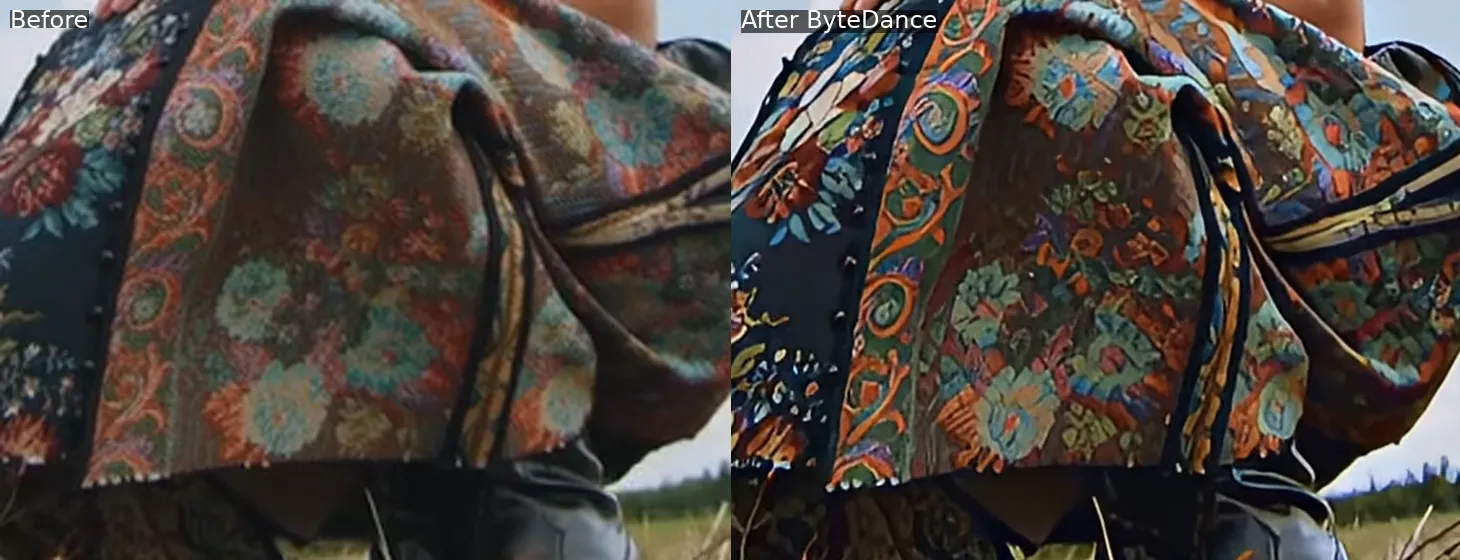
Head to head with ByteDance, the difference is fidelity and control. On the same two clips, ByteDance repainted the embroidered dress into a smooth, over-saturated pattern and reshaped the live-action face until the identity drifted from the source, while Astra held the real woven texture and kept the face true. ByteDance also output 4K to Topaz's 1080p and still looked less accurate, which is the point: reconstructing real detail beats adding raw resolution. And where ByteDance reinvents detail with no way to dial it back, Topaz gives you Precise mode for faithful work and Creative mode when you want generative detail, so you control how far it goes.
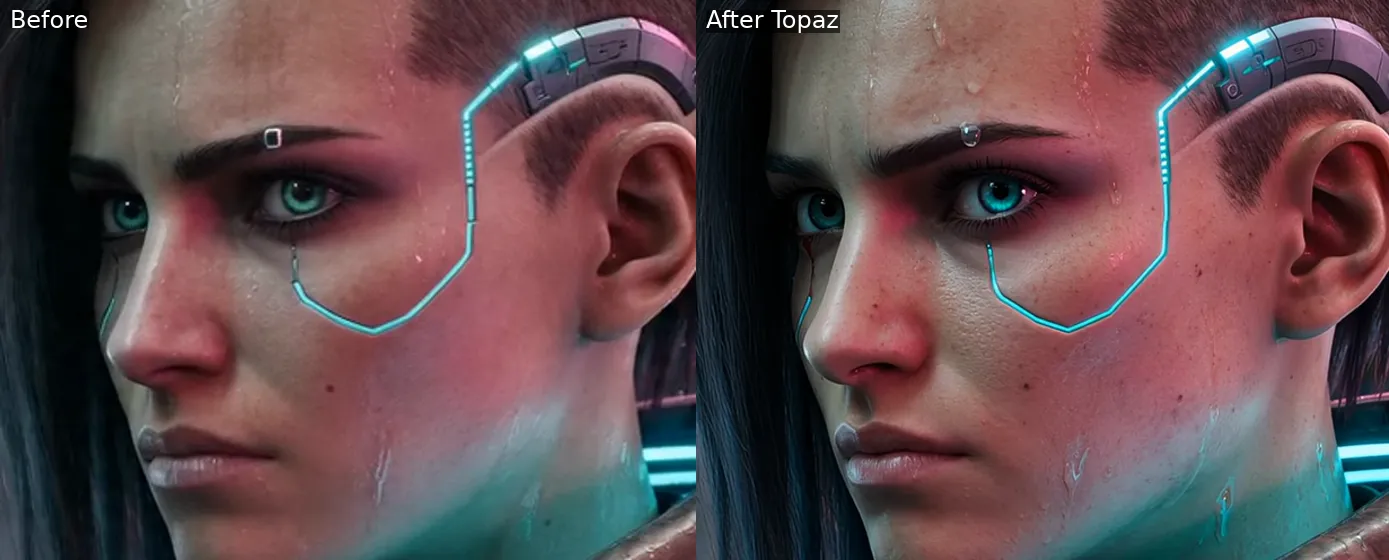
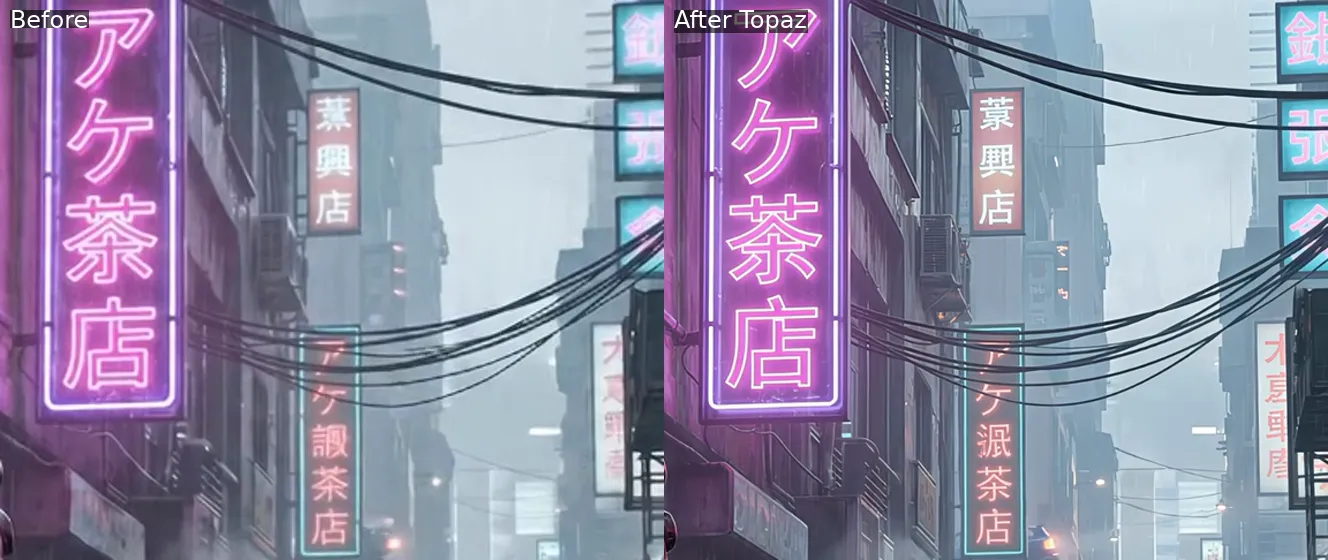
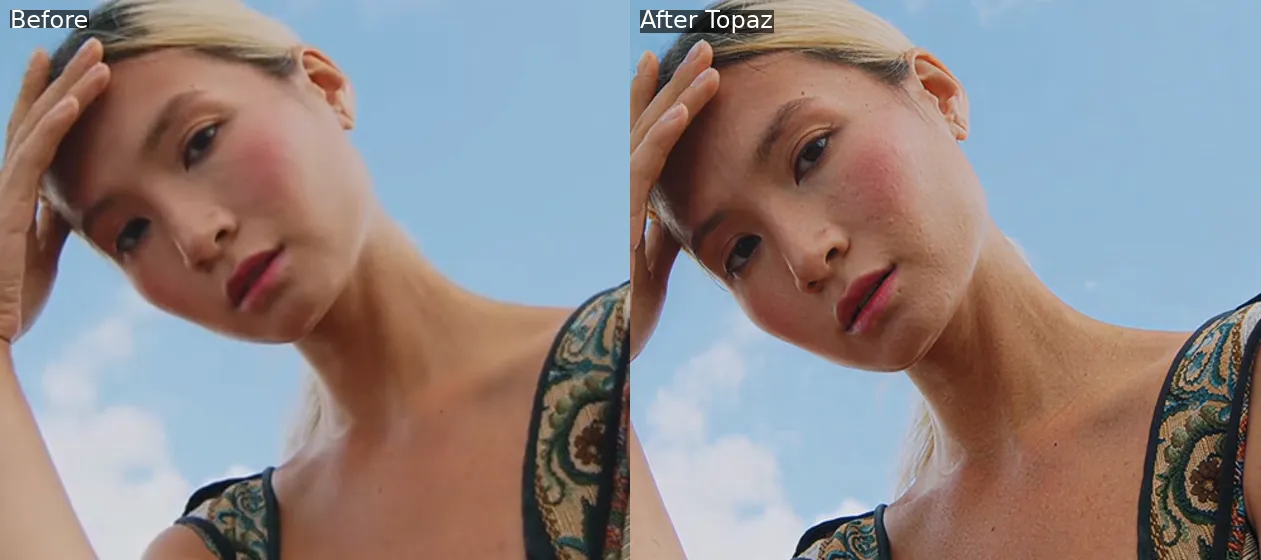
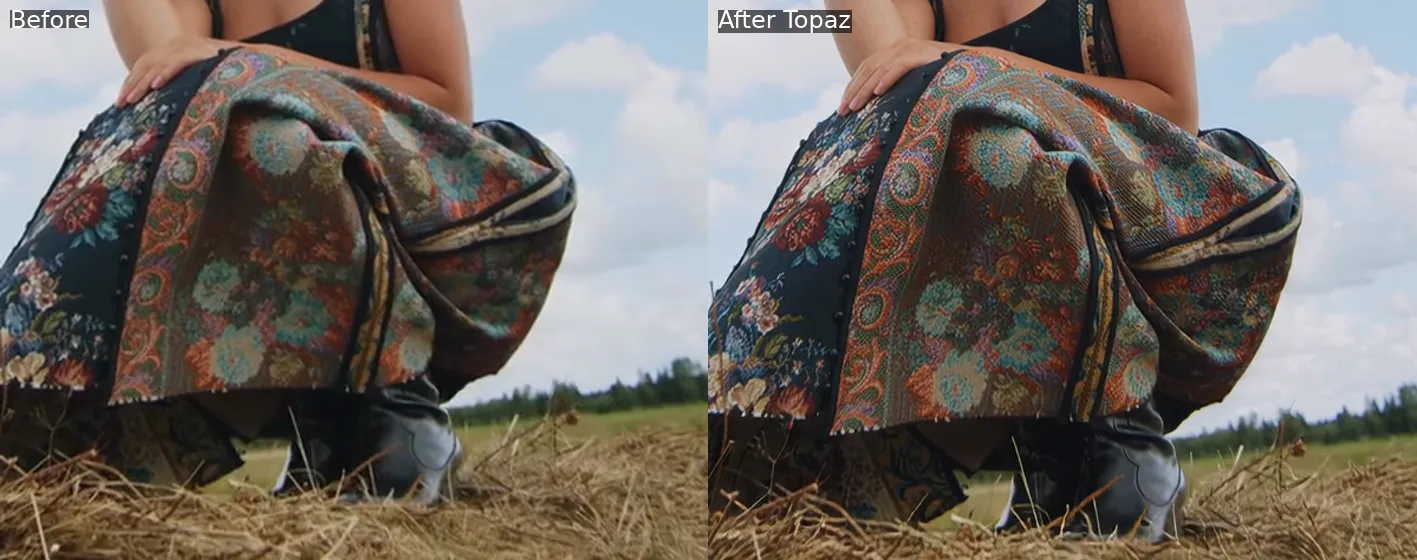
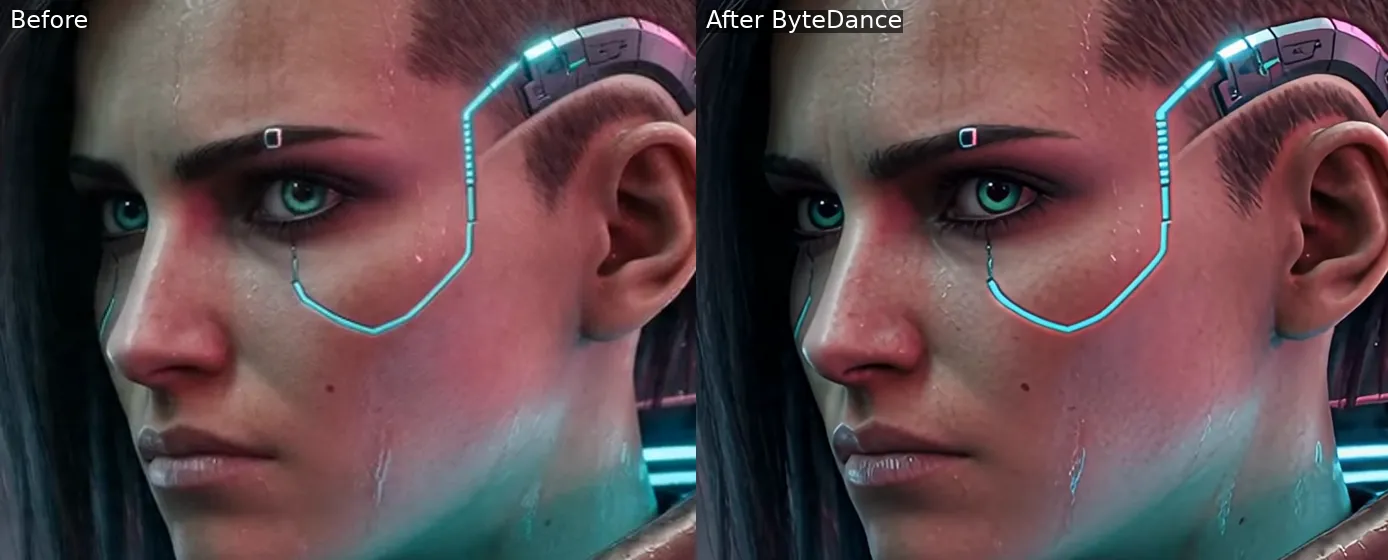
In our test, the ByteDance video upscaler produced sharp, high-resolution output that looks impressive at a glance, but on close inspection it favored a punchy, reimagined look over fidelity. On the live-action clip it repainted the embroidered dress: the real woven brocade turned into a smooth, over-saturated, almost painted pattern with the floral motifs reshaped, rather than the true fabric weave Topaz recovered.
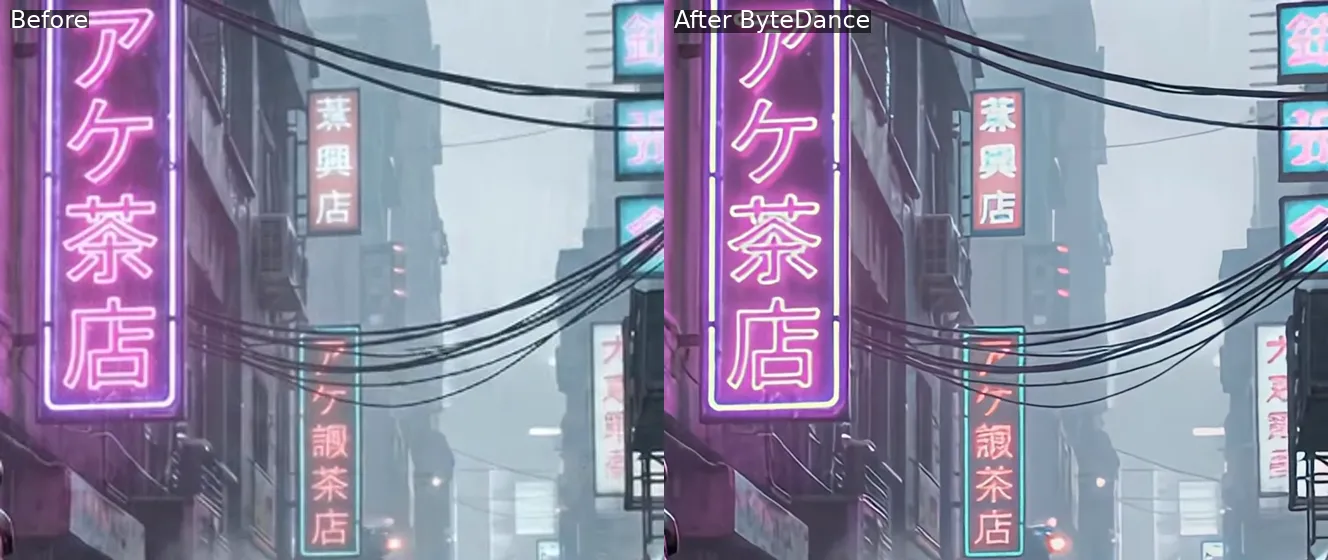
On faces it over-processed, smoothing skin waxy on the AI-generated clip and reshaping the eyes and brows on the live-action face so the identity drifted from the source. Fine background lettering came out softer and less legible than Topaz.
ByteDance's upscaler is diffusion-based, built on its SeedVR2 model so it generates plausible texture rather than reconstructing what is actually there, which suits stylized or heavily degraded footage more than faithful enhancement.
Its real advantage is price: it is a low-cost option, cheaper than most tools including Topaz, and it has an AIGC mode aimed at AI-generated footage. It also resampled our clips to 30fps, which can introduce motion artifacts, and it offers no faithful mode to rein in the reinvention. Against Topaz, the tradeoff is fidelity: Topaz costs more but rebuilds real detail and stays true to the source, with Precise and Creative modes to control the result.
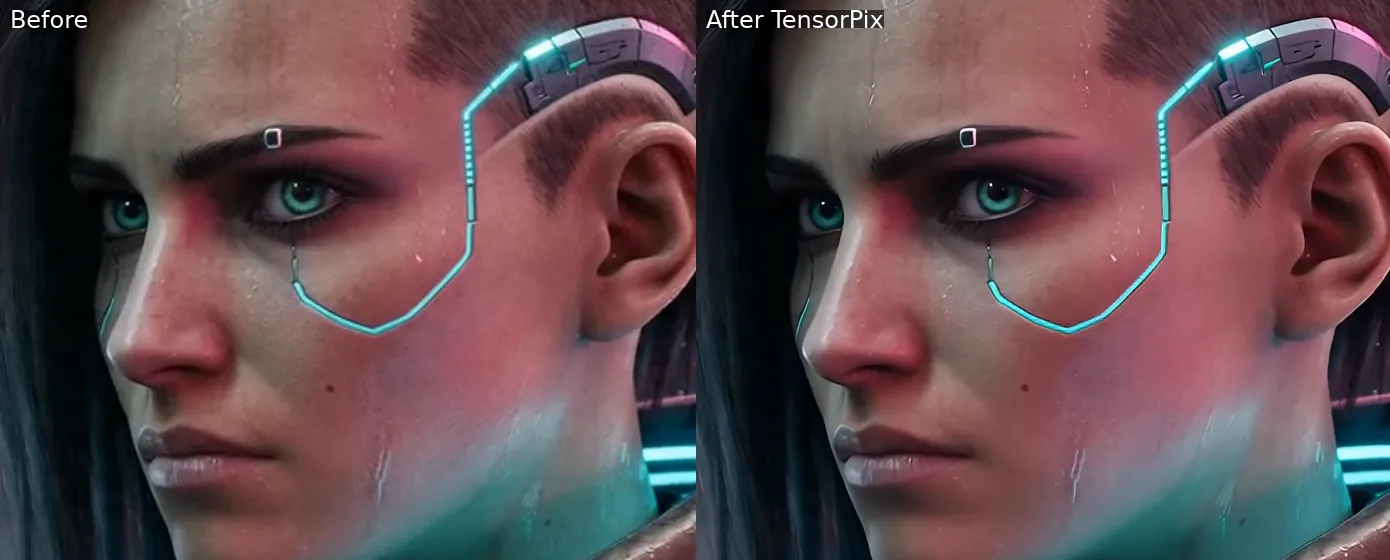
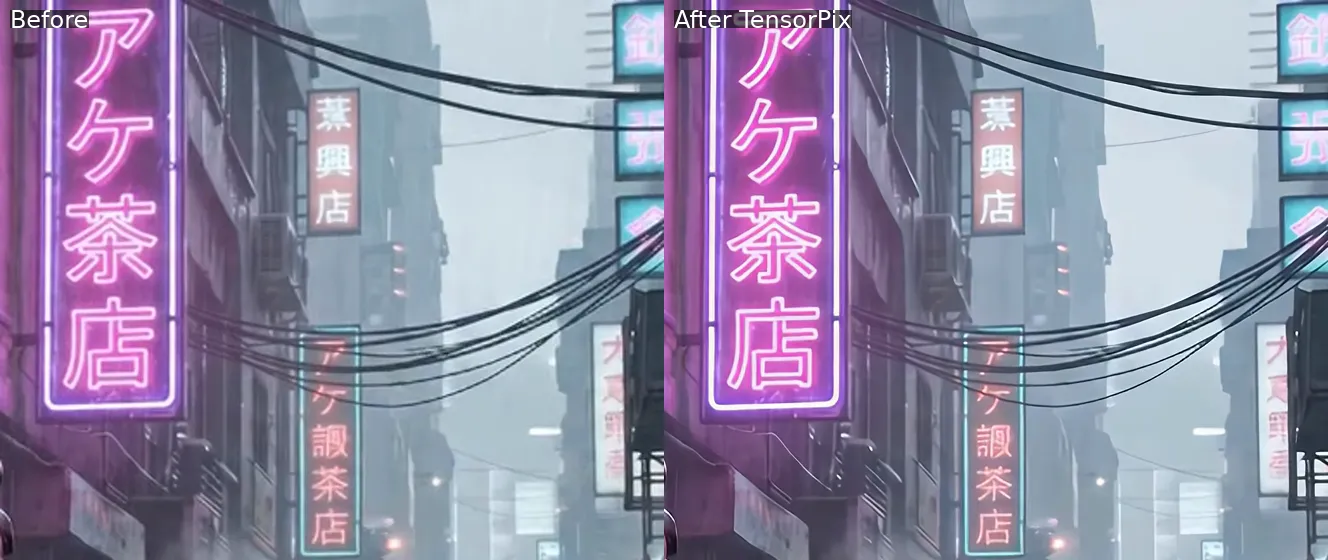
After examining the results, TensorPix presented a strong result . It handled the graphic parts of the cyberpunk clip well: neon signage, wires, and architecture came out crisp and clean. It also kept the native frame rate and output 4K, running entirely in the browser with AI filters for upscaling, denoising, deinterlacing, face restoration, and colorization, plus frame-rate boosting up to 8x.
Where it fell short was organic fine detail. On the face it leaned on denoising and smoothing, so skin came out softer and flatter, losing the pore and freckle texture that Topaz reconstructs. It does not over-process or repaint the way some tools do, which keeps it looking natural, but it recovers less real detail. Topaz stays ahead on upscale quality and fidelity: Topaz rebuilt genuine skin and texture where TensorPix smoothed it away.
For the highest detail and the steadiest motion, Topaz for Web is the top pick for most people, because it runs Topaz's flagship video models, including Astra 2 and the Starlight series, in the browser. In our test it reconstructed the most faithful skin and texture, where other tools either repainted detail or smoothed it away.
Yes. Topaz for Web upscales in the browser with pro-grade models up to 4K resolution.
For the highest ceiling, including output up to 16K, frame interpolation, and the widest set of models, Topaz Labs offers Topaz Video AI, a professional desktop app. Otherwise, Topaz for Web is the right choice when you want strong quality without a powerful GPU or an install.


© 2005 - 2026 Topaz Labs. All rights reserved.


