







Topaz Image Web vs Magnific AI: Creative Upscaling Platform Comparison
Topaz Image Web and Magnific AI are both AI image upscalers. Magnific has grown beyond upscaling since inheriting Freepik's generative image and video features, after Freepik acquired it, but this comparison focuses on what the two have in common: upscaling images. On that front, Topaz Labs is the name most associated with upscaling quality, and Image Web brings its models, including Bloom's creative upscaling (the Bloom Creativity model), into the browser. Here is how the two compare as upscalers.
Try creative upscaling in Topaz Image Web.
What is creative upscaling for images?
Creative image upscaling is an advanced, AI-driven technique that re-imagines traditional image resizing. It analyzes the content of your image and generates new, contextually relevant details. This process is particularly effective for digital art, AI-generated images, and illustrations, allowing artists and designers to achieve stunning levels of detail and clarity.
How do Topaz Image Web and Magnific AI compare on image upscaling quality?
Both Magnific and Topaz produce high-detail creative upscales, but they reflect different priorities. Upscaling and enhancement is the core of what Topaz Labs builds, and that focus carries into Image Web: the Bloom Creativity model is tuned for AI art and tends to produce cohesive, detailed results out of the box, backed by Topaz's dedicated upscaling models. Magnific can reach very high detail as well, though its results depend more on dialing in the right slider settings, in keeping with its broader, generation-oriented direction. See some examples of Bloom Creativity below:
Is creative upscaling easier to control in Image Web or Magnific?
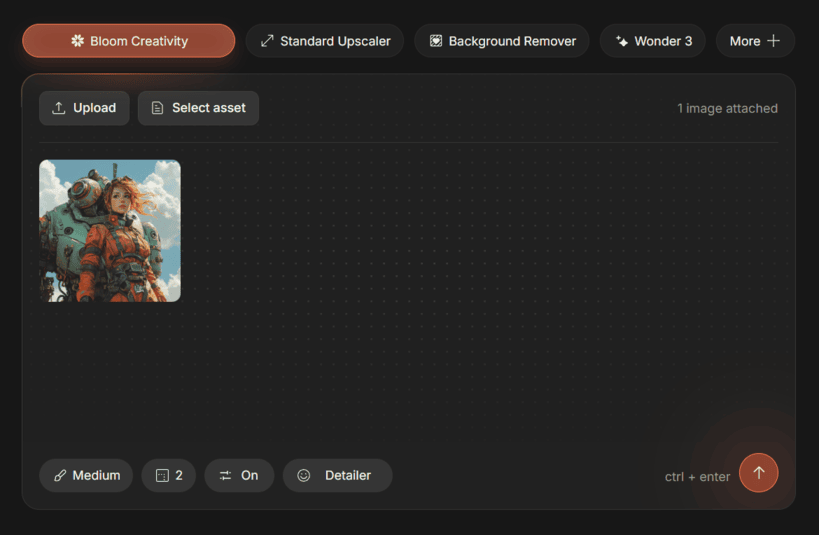
Image Web is generally easier to get a good result from on the first try. Bloom Creativity uses a single Creativity slider plus an optional text prompt: keep Creativity low to preserve the original intent, or raise it to give the model more interpretive freedom. Magnific exposes more individual controls, which gives power users finer adjustment but also a steeper learning curve. Because Magnific charges credits per render, dialing in settings through trial and error consumes paid credits as you experiment.
Is render quality consistent when using Bloom?
It's demonstrably easier to achieve a consistently good result using Bloom. With an intuitive "Creativity" slider as well as the option for a text prompt, Bloom users enjoy the perfect amount of control over their creative renders. By keeping the Creativity low, users can retain the original intent of their image prompt, but by increasing Creativity they can allow the AI model to express more freedom in interpreting the image.
With Magnific, there are more settings to control the output, but this means the lack of a preview means you'll most likely spend paid credits fine-tuning your output.
Does either tool offer faithful upscaling, or only creative?
Magnific is built around creative upscaling, reimagining detail as it enlarges, which suits AI art and stylized images but changes the original. Image Web offers both: Standard Upscale enlarges faithfully and preserves the source, while Bloom Creativity and Creative Upscale add new detail when you want it. For work that has to stay true to the original, such as photography or product images, having a faithful option matters. For maximum-fidelity enlargement of real photos, Topaz Gigapixel goes further still.
What can Topaz Image Web do beyond creative upscaling?
Upscaling is the focus here, but it is worth a brief note that the same Image Web plan also covers enhancement and repair tasks such as unblur, denoise, sharpen, face enhancement, background removal, and restoration. Magnific does not include that broader cleanup toolkit, so with Image Web one subscription handles the rest of your image work too.
Should you choose Topaz Image Web or Magnific AI?
Choose Topaz Image Web if upscaling and enhancement quality is your priority. You get Bloom's creative upscaling for AI art plus a full toolkit for unblur, denoise, sharpen, faces, backgrounds, color, and restoration, with unlimited renders, no credits, and the highest resolution ceiling here. It suits photographers, retouchers, ecommerce teams, and AI artists who want one platform for finishing images at high quality. (If you only want creative upscaling, Bloom is still available as a standalone app from $19 per month, with the same Bloom Creativity model.)
Choose Magnific if generating new images or video is part of your workflow, since that is where it has expanded, or if you want very granular slider control over creative upscaling and do not mind a credit-based model.
If you need to enlarge a real photo without inventing new detail, Topaz Gigapixel is purpose-built for faithful, high-fidelity enlargement.


