Unprocessed Image

Enhanced



 Topaz for Web· Photo restoration
Upload a scan of a faded baby picture and Topaz for Web restores it in seconds. The AI lifts faded color, sharpens soft focus, removes dust and scratches and recovers small faces, then saves a new copy ready for a slideshow, a frame or a gift.
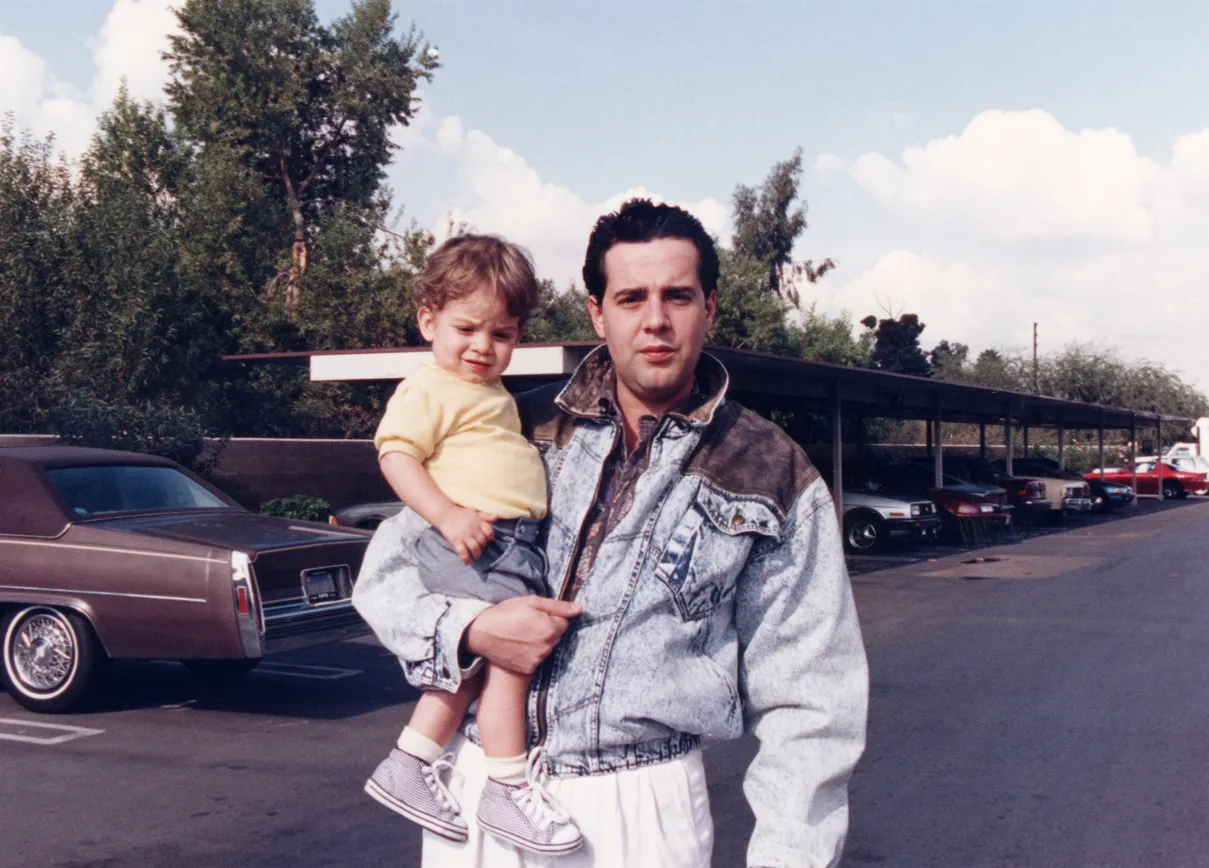
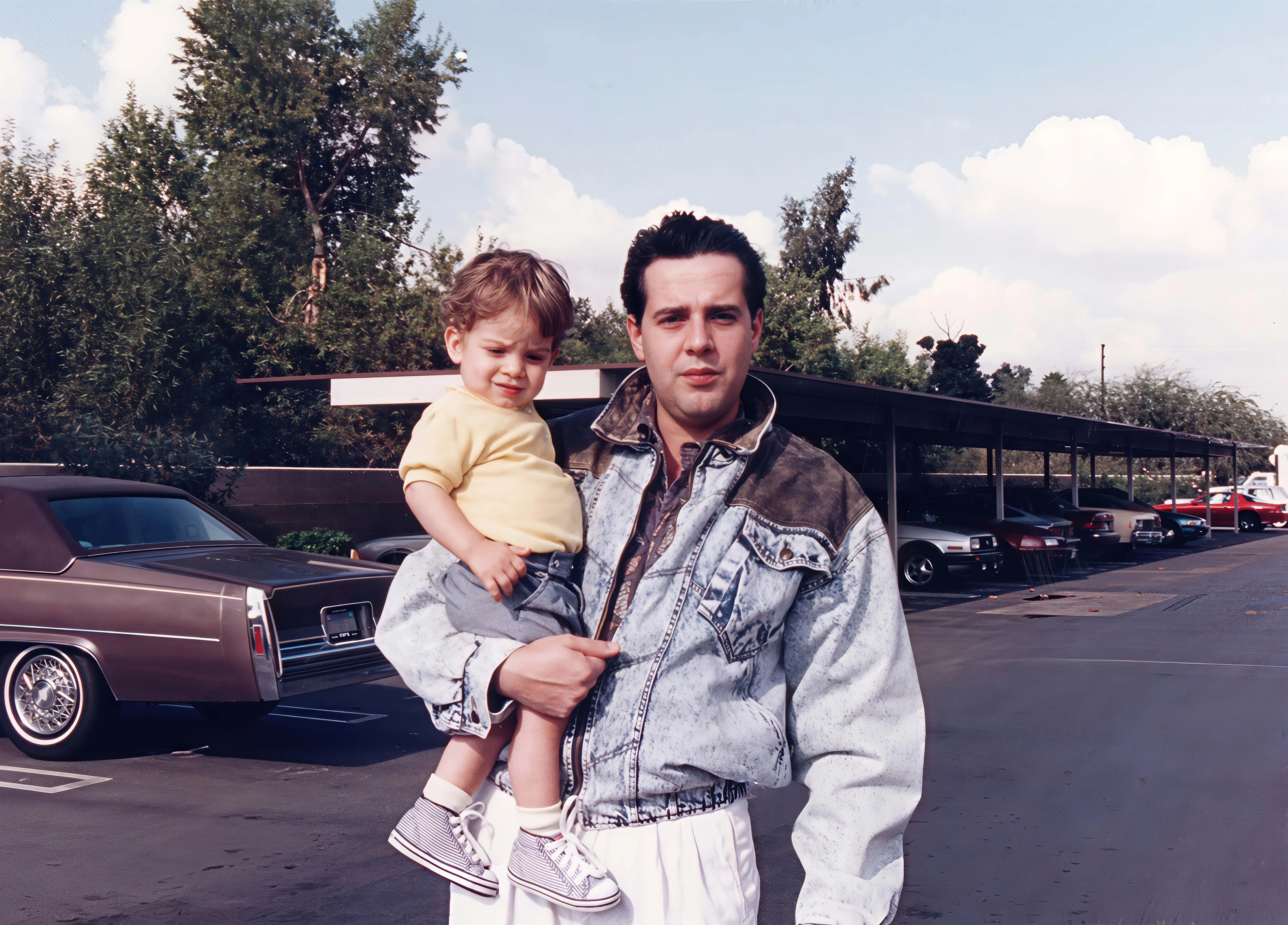 Before · Original scanAfter · Restored
Sign up and use it now. No watermark.
Input
Faded print
Output
Restored
Tool
Photo Restoration
Typical time
A few seconds
How it works
01
Scan the print or upload an old digital file. Topaz for Web opens with Photo Restoration selected.
02
Select your desired restoration settings and check the preview.
03
Download the restored photo for a birthday slideshow, a framed print or the family group chat.
What’s different
Point-and-shoot cameras and quick snapshots left many baby photos slightly blurry. Restoration sharpens eyes, hair and expressions while skin stays natural.
Drugstore prints from the 1970s through the 1990s often fade or drift toward orange. Restoration brings back contrast and detail so the photo looks closer to the day it was taken.
Photos from early digital cameras and phones are often small. Restoration enhances and enlarges low-resolution files as well as scanned prints.
Graduation slideshows, wedding then-and-now displays and milestone birthdays all need a clean photo. Restore it once and reuse the file anywhere.
Recommended settings
Topaz for Web opens with Photo Restoration selected when you start from this page. Adjust any setting before you export.
| Step | Recommendation | Why |
|---|---|---|
| Scan | 600 DPI | Captures detail in small faces and hands. |
| Tool | Photo Restoration | Repairs fading, blur, dust and scratches in one pass. |
| Faces | Check the preview at 100% | Make sure eyes and expressions still look like your child. |
| Size | Upscale for large prints | Use the Image Upscaler if you plan to print bigger than the original. |
Pro users can also restore photos in the Topaz Photo desktop app.
Trusted by over 1 million photographers and filmmakers
“Blurry planes came to life perfectly sharp. Very easy to use.”
“This helped me save family photos that had soft focus.”
“It doubles the value of your photographic equipment.”
Verified Topaz Labs reviews on Trustpilot.
Scan the print at 600 DPI, upload it to Topaz for Web and let Photo Restoration repair it. Check the preview, adjust the settings if needed and download the restored copy in seconds.
Yes. Restoration repairs blur and soft focus and recovers detail in faces. For strong motion blur, also try Unblur Image.
Yes. Restoration enhances and enlarges low-resolution photos, not just scanned prints. Upload the original file rather than a screenshot or a compressed copy from social media.
Restoration works from the details in your photo, so the result stays close to the original. Compare the preview with the original, especially on very small or blurry faces, because fine features are reconstructed by the AI.
Yes. After restoring, upscale it up to 8x with the Topaz image upscaler for a canvas, a frame or a slideshow screen.
 Topaz Studio
Topaz for Web is included with Topaz Studio, alongside Photo, Gigapixel, Video, Bloom and Topaz for Mobile.
Updated 2026-10-19


© 2005 - 2026 Topaz Labs. All rights reserved.