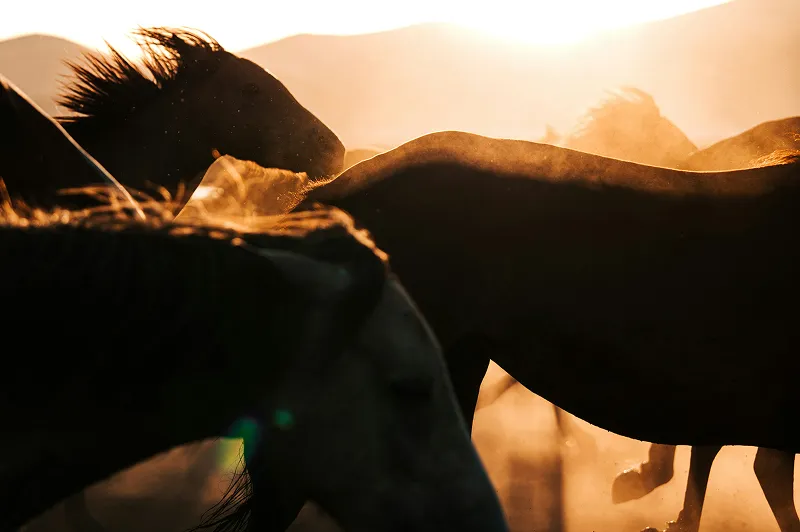
Unprocessed Image

Enhanced



 Topaz for Web· Image upscaling
Upscaling 4x multiplies width and height by four, so the image gains 16 times the pixels. It is the factor for small sources: a 1024 × 1024 AI image becomes 4096 × 4096, and a 960 × 540 frame becomes full 4K. Topaz for Web rebuilds the detail in seconds.

 Before · 1440 × 810After · 5760 × 3240
Sign up and use it now. No watermark.
Input
1024 × 1024
Output
4096 × 4096
Model
Standard
Typical time
A few seconds
How it works
01
Upload a small image, such as AI art, a web graphic or an old camera file. The 4x scale is pre-selected.
02
Keep the recommended model for photos. For AI art, try Wonder 3 or Creative Upscale to add detail the source never had.
03
Export the 4x file and check it at 100% before you print or publish.
What’s different
Many image generators export at about 1024 × 1024. At 4x that becomes 4096 × 4096, about 16.8 MP, large enough for posters, print-on-demand and 4K screens.
Early digital cameras saved photos around 1600 × 1200. Upscaled 4x to 6400 × 4800, those files print at about 21 × 16 inches at 300 DPI.
At 4x, 15 of every 16 output pixels are new. Traditional resizing fills them with blur; the AI predicts texture and edges from millions of training images instead.
The 32 MP export cap on the Image plan means inputs up to about 2 MP fit at 4x, around 1732 × 1154. Pro plans and Topaz Gigapixel handle larger sources.
Print-on-demand products usually want files several thousand pixels wide. A 1024 px design upscaled 4x reaches 4096 px, which covers most posters, mugs and shirts at standard sizes.
Recommended settings
These settings are pre-selected when you open the tool from this page. Change any of them before you export.
| Setting | Value | Why |
|---|---|---|
| Scale factor | 4x | Four times width and height, 16 times the pixels. |
| Model, photos | Standard | Reliable default for photos at a big jump. |
| Model, AI art | Wonder 3.5 | Adds the fine detail image generators tend to leave out. |
| Largest input | About 2 MP | Keeps the 4x output under the 32 MP export cap on the Image plan. |
Pro users can apply the same settings in the Topaz Video and Topaz Photo desktop apps.
Trusted by over 1 million photographers and filmmakers
“Blurry planes came to life perfectly sharp. Very easy to use.”
“This helped me save family photos that had soft focus.”
“It doubles the value of your photographic equipment.”
Verified Topaz Labs reviews on Trustpilot.
It makes an image four times wider and four times taller, so it has 16 times as many pixels. A 500 × 500 image becomes 2000 × 2000. The AI fills the new pixels with reconstructed detail rather than enlarged blur.
Yes. A 1024 × 1024 generation becomes 4096 × 4096 at 4x, about 16.8 MP, enough for most prints and 4K displays. Topaz also has dedicated pages for Midjourney and other generators.
Divide the output pixels by 300 to get inches at 300 DPI. A 4096 × 4096 file prints at about 13.7 × 13.7 inches; a 6400 × 4800 file prints at about 21 × 16 inches.
About 2 MP on the Image plan's 32 MP export cap, for example 1732 × 1154. For larger inputs, use a Pro plan or Topaz Gigapixel.
Not necessarily, but if the photo is already large, 2x usually gives a more natural result and a smaller file. Save 4x for sources that are genuinely small.
 Topaz Studio
Topaz for Web is included with Topaz Studio, alongside Photo, Gigapixel, Video, Bloom and Topaz for Mobile.
Updated 2026-10-02


© 2005 - 2026 Topaz Labs. All rights reserved.